The IPTV player
for Apple TV.
Watch your own IPTV playlist on the big screen. Fast IPTV Player brings Live TV with a full TV guide and catch-up, Movies and Series to Apple TV, designed for the Siri Remote. Add your Xtream Codes, M3U or Stalker playlist from your iPhone or the web, with no typing on the TV.
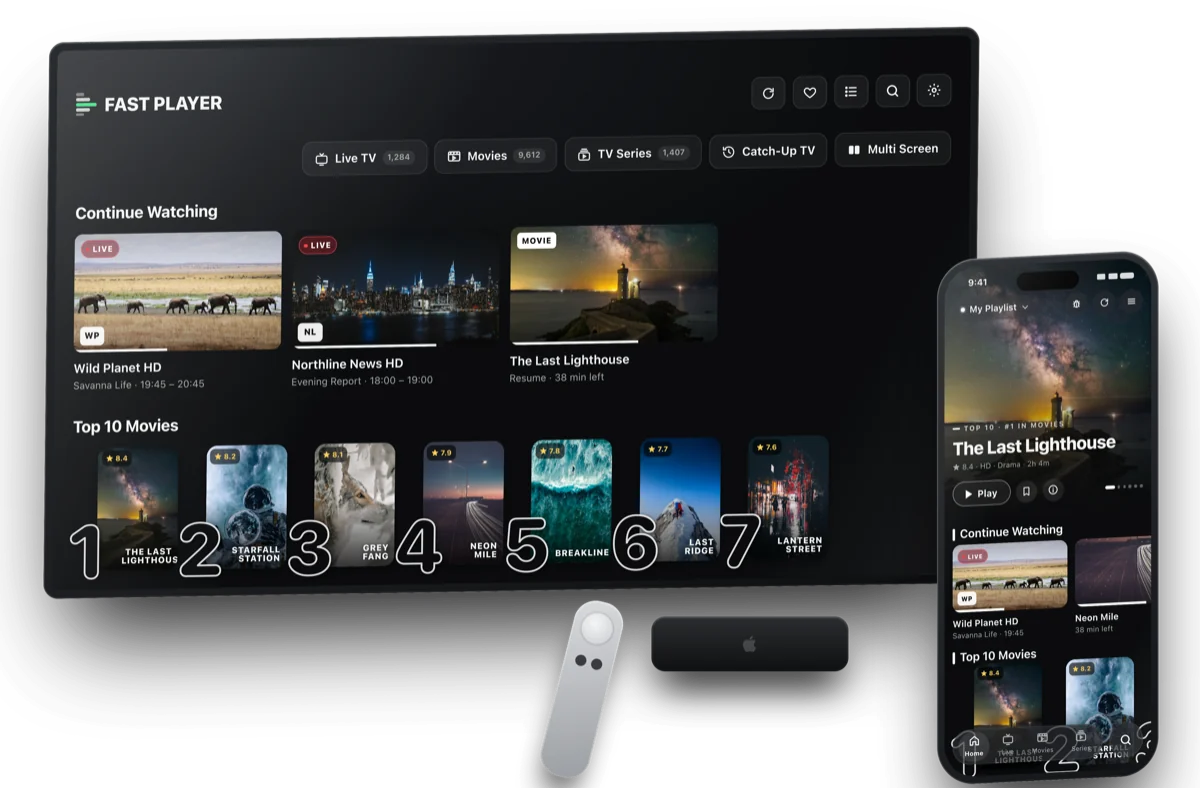
Everything you watch,
on your TV.
Live TV with a TV guide
See what's on now and next on every channel, and open the full guide for any channel from the channel list.
Catch-up and replay
Missed it? Watch recent programmes again by day, with a seek bar to skip through, on channels where your provider offers catch-up.
Movies, Series & Continue Watching
Browse Movies and Series with posters and details, and pick up where you left off.
Smart Playback
Opens each channel the fastest way your provider allows and recovers from hiccups on its own.
Search everything
Find live channels, movies and series at once, without scrolling through thousands of entries.
Subtitles & audio tracks
Switch audio languages and subtitles from the player's controls.
Set up Apple TV
from your phone.
Typing a long playlist link with a TV remote is no fun. Pick one of these on the Apple TV's Add Playlist screen.
Another Device
Already set up on your iPhone or iPad? Copy your playlists to the Apple TV with a one-time code.
Website Portal
Add your playlist at fastplayer.co/add-playlist from any phone or computer, using the Device ID shown on the TV.
Type it in
Prefer the remote? Enter Xtream Codes, an M3U link or a Stalker portal directly. Full guide.
IPTV on Apple TV: questions
Is there an IPTV player for Apple TV?
Yes. Fast IPTV Player runs on Apple TV with tvOS 17 or later and plays your own Xtream Codes, M3U/M3U8 and Stalker portal playlists: Live TV with a TV guide and catch-up, Movies and Series.
How do I add my IPTV playlist on Apple TV without typing?
Two ways. Choose Another Device to copy your playlists from your iPhone or iPad with a one-time code, or choose Website Portal and add the playlist at fastplayer.co/add-playlist from any phone or computer. You can also type Xtream Codes, M3U or Stalker details with the remote. See the setup guide.
Does it have a TV guide and catch-up on Apple TV?
Yes. Each channel has a TV guide with what's on now and next, and channels your provider offers catch-up for can be watched again from the Catch-Up screen, with a seek bar to jump through the programme.
Which Apple TV models are supported?
Any Apple TV that runs tvOS 17 or later: Apple TV HD and every Apple TV 4K.
Can I use one purchase on iPhone, iPad and Apple TV?
Yes. Fast IPTV Player is one app for iPhone, iPhone Duo, iPad and Apple TV. Your purchase can be restored on your other Apple devices with the same Apple Account.
Does Fast Player include channels?
No. Fast IPTV Player is a media player only. It doesn't provide, host or sell any channels or content. You need your own playlist or subscription from a provider of your choice.
Your playlist.
Your biggest screen.
Free for 7 days on Apple TV, iPhone, iPhone Duo and iPad.