The media player for iPhone, iPhone Duo, iPad & Apple TV
Your playlists.
Played beautifully.
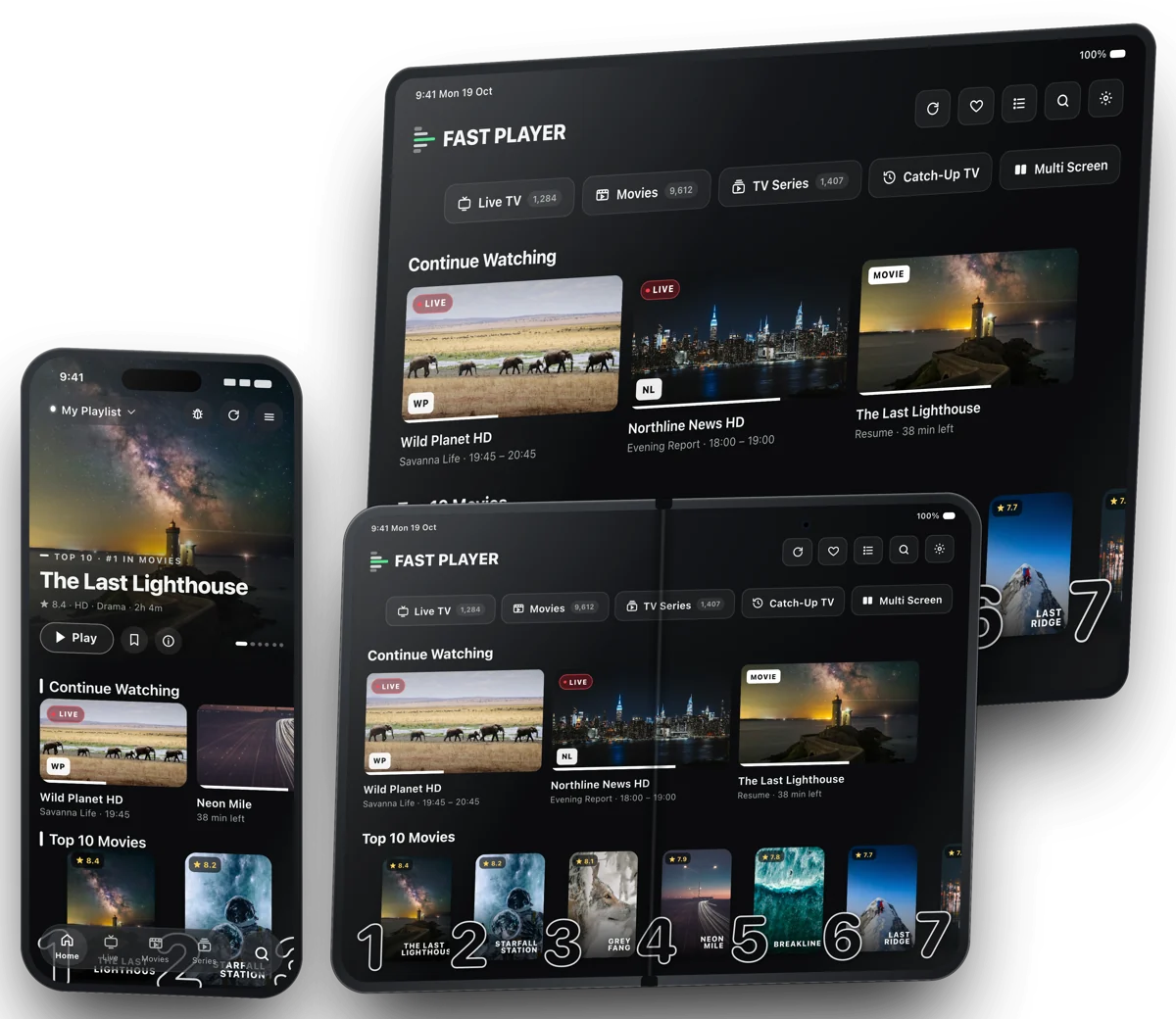
Fast Player plays your own playlists on iPhone, iPhone Duo, iPad and Apple TV. Bring your Xtream Codes, M3U or Stalker playlist, then watch Live TV, Movies and Series that start fast and look stunning.
Channels that start
before you blink.
Fast Player learns how your provider works and opens each channel the fastest way it can, then quietly keeps it running.
- Learns your providerPicks the stream format and settings that start fastest for your playlist, and remembers them.
- Recovers by itselfWi-Fi drop, provider hiccup or a stream that ends? It reconnects without you lifting a finger.
- Kind to one-connection accountsOne stream at a time, never two, so switching channels doesn't trip your provider's connection limit.
Measured on real playlists over Wi-Fi. Start times depend on your provider and connection.
The big screen,
without the fuss.
Send Live TV, Movies and Series to your Apple TV or AirPlay TV in a tap. Streams Apple TV can play go straight there; ones it normally can't, like HEVC or MKV, are converted on the fly so they still work.
- Keeps playing while you browseLeave the player and look for something else. The TV carries on until you disconnect.
- Your subtitles and audio come alongThe language you picked on the phone is the one on the TV.
- Back to your phone in one tapDisconnect and it continues on the phone, right where the TV was.
One phone.
Two ways to watch.
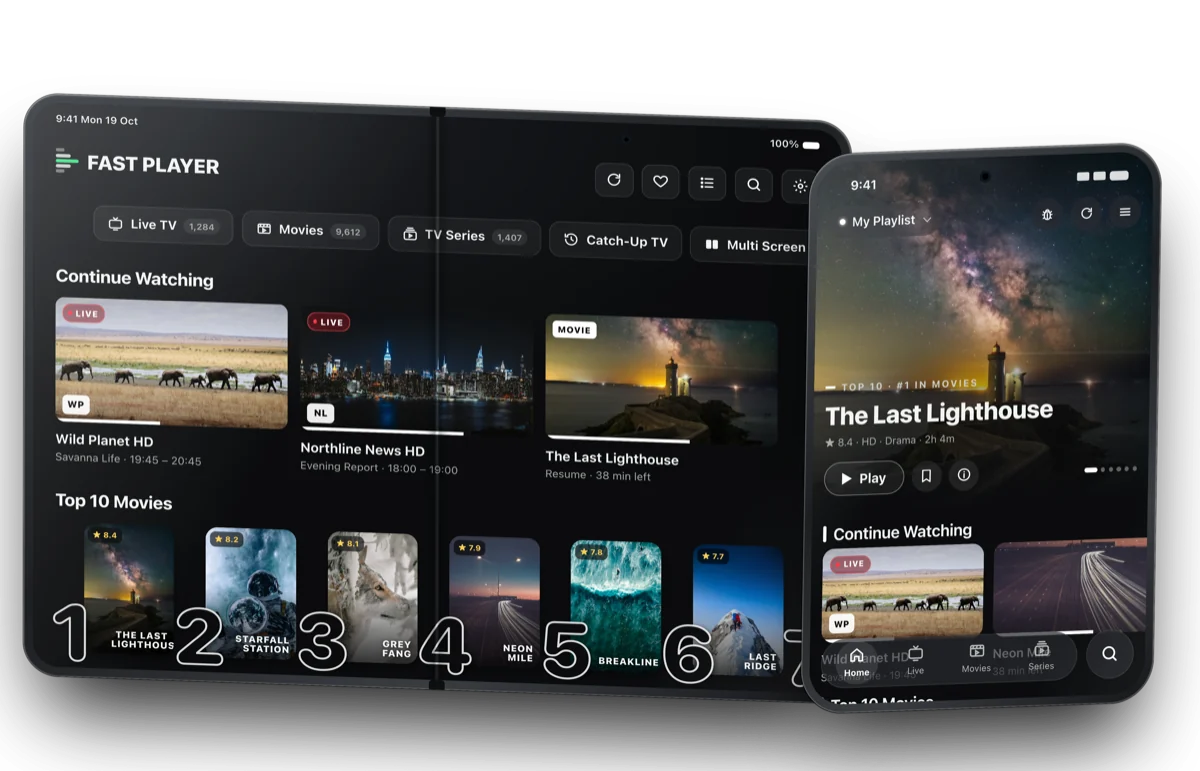
Fast Player is made for iPhone Duo. Folded, it's the iPhone app you know. Unfold it and you get the full big-screen layout, more rows, bigger posters and the player beside the guide.
- Unfolded: the big-screen layoutThe same roomy layout as iPad, in portrait or landscape.
- Folded: everything in one handThe iPhone layout on the outer screen, sized for it.
- Fold mid-show, keep watchingThe channel keeps playing as you fold or unfold. No reload, no reconnect.
Built for how you
actually watch.
Every feature here ships in the app today.
Smart Search
Search channels, movies and series at once, or just type what you're in the mood for.
Continue Watching
Movies and episodes pick up exactly where you stopped, on the phone or the TV.
A real TV guide
Now and next with full programme names, from your provider or your own XMLTV.
Picture in Picture
Keep the film playing in a corner while you reply to messages.
Multi-view
Watch more than one live channel side by side.
Catch-up
Missed it? Watch recent programmes again when your provider offers catch-up.
Subtitles & audio
Pick audio tracks and subtitles per stream, with size and timing you control.
Parental PIN
Hide adult categories or lock them behind a PIN. Nobody can switch it off without it.
Organise it your way
Favourites, hide or reorder categories and channels, and as many playlists as you like. Switch in one tap.
Speaks your language
The app comes in 10 languages and follows your device language automatically.
Three ways in.
Under two minutes.
Use whatever your provider gave you. Fast Player handles Live TV, Movies, Series and the guide from there. Step-by-step setup guide.
Xtream Codes
The most common provider login. Server, username, password, done.
M3U playlist
Paste your M3U or M3U8 link, including its TV guide if it has one.
Stalker portal
MAG-style portals work too, with your portal address and the MAC shown in the app.
Hate typing on a TV remote? Use the web portal.
Open Settings in the app to find your Device ID, then add or edit playlists here from any browser. They appear in the app on their own.
Watching in three steps.
Download Fast Player
Get it from the App Store on iPhone, iPad or Apple TV. Your 7-day free trial starts right away.
Add your playlist
Sign in with Xtream Codes, paste an M3U link or connect a Stalker portal, in the app or on this website.
Press play
Live TV, Movies and Series, a full guide, AirPlay and PiP. That's it.
Try everything free.
Keep it if you love it.
Lifetime
- Pay once, keep it forever
- All future updates
- Restore on your other Apple devices
Annual
- Everything in Fast Player
- Renews once a year
- Cancel any time in your Apple settings
Purchases are made through Apple in the app, in your local currency. Annual Access renews automatically unless cancelled at least 24 hours before the end of the current period.
Your content, your provider
Fast Player is a player only. It doesn't include, sell or host any channels, movies or series.
Logins kept safe
Playlist logins are stored in the secure iOS Keychain, and encrypted when you add them from the web portal.
Straight to your provider
Playback connects directly to your provider. We never sit in the middle of your streams.
Join the Fast Player crowd.
Chat with other users, get setup help, hear about new features first and tell us what to build next.
Good questions.
What is Fast IPTV Player?
Fast IPTV Player (Fast Player) is an IPTV player app for iPhone, iPhone Duo, iPad and Apple TV. You add the playlist your IPTV provider gave you, as Xtream Codes, an M3U/M3U8 link or a Stalker portal, and watch Live TV with a TV guide and catch-up, Movies and Series. It is available on the App Store with a 7-day free trial.
What is the best IPTV player for iPhone and Apple TV?
Look for an IPTV player that supports your playlist type, starts channels quickly, has a real TV guide and works on all your Apple devices. Fast IPTV Player supports Xtream Codes, M3U and Stalker portals, opens most channels in under a second with Smart Playback, includes a TV guide with catch-up, AirPlay and Picture in Picture, and runs on iPhone, iPhone Duo, iPad and Apple TV with one purchase.
Does Fast Player include channels?
No. Fast Player is a media player only. You need your own playlist or subscription from a provider of your choice; Fast Player connects to it and plays it.
Which devices does it work on?
iPhone, iPhone Duo, iPad and Apple TV (iOS, iPadOS and tvOS 17 or later). On iPhone Duo it uses the big-screen layout when unfolded and the iPhone layout when folded. Download it from the App Store; your purchase can be restored on your other Apple devices with the same Apple Account.
Which playlist types are supported?
Xtream Codes (server, username, password), M3U / M3U8 links, and Stalker / MAG-style portals. Add as many playlists as you like and switch between them.
How do I add a playlist from my computer?
Open Settings in the app to find your Device ID, then go to fastplayer.co/add-playlist. You can also open the secure link or QR code shown in the app. The playlist appears in the app automatically.
Does AirPlay work with every stream?
Most streams go straight to your Apple TV. Formats Apple TV can't play on its own, like HEVC or MKV, are converted on the fly so they still play. A few rare formats may play as audio only.
Are my playlist logins safe?
Yes. They're stored in the iOS Keychain on your device, and encrypted when you add them through the web portal. Playback goes directly from your device to your provider.
How do I cancel my subscription?
Annual Access is managed by Apple: open Settings on your iPhone, tap your name, then Subscriptions. Lifetime Access is a one-time purchase and never renews.
Something isn't working. Where do I get help?
Send a report from Settings → Bug Report in the app (it includes helpful diagnostics), visit our Support page, join our Discord, or email [email protected].
Press play on
something better.
Free for 7 days on iPhone, iPhone Duo, iPad and Apple TV.